Corporate interview videos have become one of the most powerful tools in modern business communication. Whether used for company profiles, leadership messages, recruitment campaigns, testimonials, or internal communication, a well-produced corporate interview video builds trust, authority, and emotional connection.
However, the impact of a corporate interview video heavily depends on one critical factor: the setup. Even the most inspiring speaker can look unprofessional if the lighting is harsh, the audio is unclear, or the background is distracting. A professional interview setup ensures your message is delivered clearly, confidently, and credibly.
In this article, we will explore the best setup for professional corporate interview videos, from location and lighting to audio and post-production, so you can achieve high-quality results that elevate your brand.
Choosing the Right Location: Studio vs On-Site
Selecting the right location is the foundation of corporate video production.
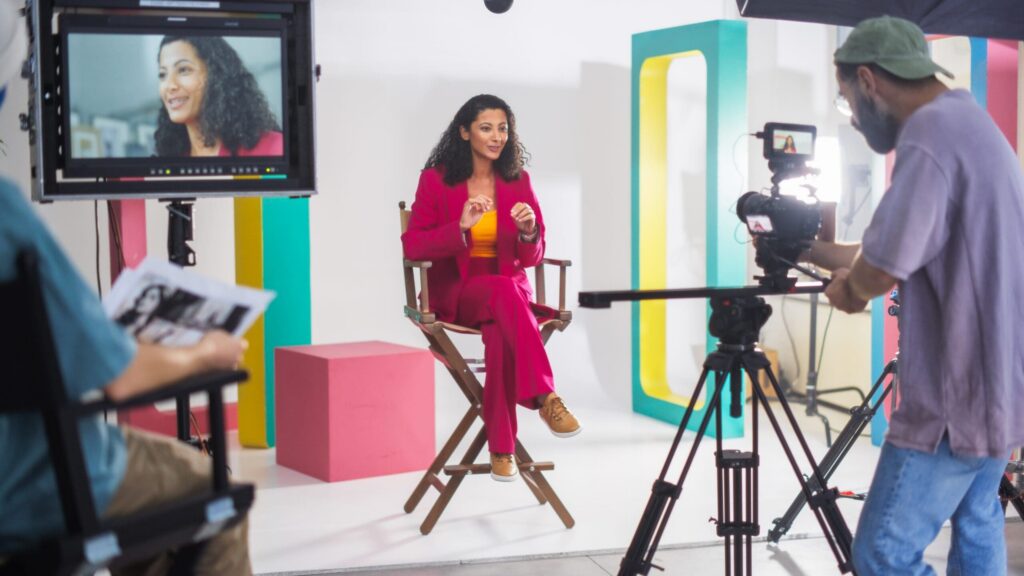
Studio Setup
A studio offers a fully controlled environment with managed lighting, proper sound insulation, and fewer external interruptions. It is ideal for:
- CEO interviews
- Brand statements
- Formal corporate messages
- High-end promotional content
Studios allow precise lighting control and consistent visual quality, which is essential for polished corporate communication.
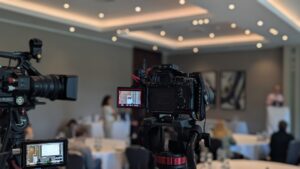
On-Site Setup
Filming at your office, factory, or workspace adds authenticity and context. It works well for:
- Behind-the-scenes interviews
- Employee testimonials
- Operational showcases
- Recruitment videos
However, on-site filming requires careful planning to manage background noise, lighting inconsistencies, and visual clutter.
The best choice depends on your brand positioning and communication goals. If you want authority and polish, studio works best. If you want transparency and authenticity, on-site filming may be more effective.
Camera Setup and Framing Techniques
The camera setup defines the visual professionalism of your corporate interview video.
Camera Quality
Use professional-grade cameras capable of shooting in at least 4K resolution. Higher resolution ensures flexibility in post-production and a sharper final result.
Framing
The most common framing for corporate interviews is:
- Medium shot (chest up)
- Eye-level angle
- Subject positioned slightly off-center
Avoid placing the subject directly in the middle unless the format requires a symmetrical look.
Depth of Field
A shallow depth of field (blurred background) enhances professionalism by separating the subject from the background. The result is a video with high-quality cinematic effects.
Lighting Setup for a Professional Look
Lighting is one of the most critical components of interview lighting setup. Poor lighting instantly reduces video quality, regardless of camera quality.
1. Three-Point Lighting
The standard approach for professional interviews is three-point lighting:
- Key Light – Main light source illuminating the subject’s face.
- Fill Light – Reduces harsh shadows produced by the key light to create a more balanced and natural look.
- Back Light (Hair Light) – Adds a subtle rim of light behind the subject to create separation and enhance depth.
This setup creates dimension and eliminates flat lighting.
2. Natural Light vs Artificial Light
Natural light can work beautifully if controlled properly. However, it is unpredictable due to weather and time changes.
Artificial lighting provides:
- Consistency
- Control
- Professional reliability
For corporate interviews, artificial lighting is generally safer and more consistent.
3. Common Lighting Mistakes to Avoid
- Overexposed faces
- Harsh shadows under eyes
- Uneven skin tones
- Mixed color temperatures
- Light directly above the subject (causes eye shadows)
Professional interview lighting setup ensures the subject appears confident, approachable, and polished.
Audio Setup: Clear and Professional Sound
Audio quality can make or break a corporate interview video. Viewers tolerate slightly imperfect visuals but will quickly stop watching if the audio is poor.
Lavalier Microphone
Clip-on lavalier microphones are discreet and ideal for interviews. They capture consistent audio directly from the speaker.
Shotgun Microphone
Shotgun microphones mounted on boom poles provide natural sound without being visible on camera. They are excellent for controlled studio environments.
Backup Audio Strategy
Always record backup audio. Use:
- Dual recording devices
- Camera audio as secondary source
- Redundant microphone systems
Corporate video filming should never rely on a single audio source.
Room Acoustics
Echo and background noise reduce clarity. Improve acoustics by:
- Using soft furnishings
- Closing windows and doors
- Turning off air conditioning
- Using sound blankets if needed
Clear audio enhances professionalism and viewer engagement.
Background and Composition
Your background should reinforce your message rather than draw attention away from it.
Clean Corporate Background
Avoid cluttered desks, messy shelves, or unrelated objects. Instead, consider:
- Branded wall
- Neutral office setting
- Company logo in background
- Soft, out-of-focus workspace
Depth and Separation
Position the subject at a sufficient distance from the background to create a stronger visual dimension and prevent the image from looking flat.
Branding Elements
Subtle branding strengthens recognition. Examples include:
- Company logo
- Corporate colors
- Branded materials
- Office interior design
Keep branding tasteful and not overpowering.
Interview Positioning and Subject Comfort
A relaxed subject delivers better performance.
Eye Line
For a natural interview style, position the interviewer slightly off-camera so the subject looks just beside the lens. For direct address (e.g., leadership message), the subject may look directly into the camera.
Seating and Posture
Choose comfortable seating. Ensure posture appears confident but relaxed. Avoid chairs that swivel or squeak.
Coaching the Speaker
Before recording:
- Brief the subject
- Review talking points
- Encourage natural speaking tone
- Allow practice runs
A comfortable subject delivers authentic and compelling responses.
B-Roll and Supporting Footage
Corporate interview videos become more dynamic with supporting footage. B-roll may include:
- Employees working
- Office activities
- Product demonstrations
- Team meetings
- Production processes
B-roll enhances storytelling and keeps the audience engaged. It also helps hide jump cuts during editing. Plan B-roll shots before filming to align visuals with key talking points.
The best setup for professional corporate interview videos combines strategic planning, technical precision, and brand alignment. Every element, location, camera, lighting, audio, background, and post-production, contributes to the final perception of your company.
A strong corporate interview video builds trust, strengthens brand identity, and communicates your message with authority. Investing in the right professional interview setup ensures that your leadership, employees, and clients are presented in the best possible light.
If you want to produce high-quality corporate interview videos with professional setup and execution, consider partnering with an experienced production team. Visit SNXP Studio to elevate your next corporate video project with expert support and creative precision.